

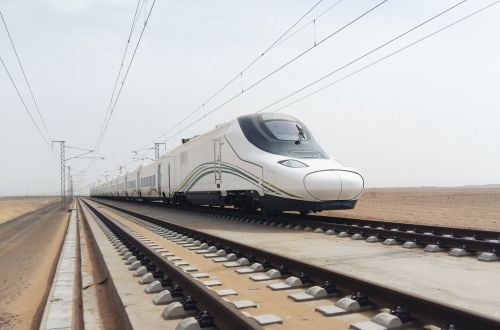
Traveling between the holy cities of Makkah, Madinah, and Jeddah in Saudi Arabia has never been easier with the introduction of the Haramain high-speed train. This modern rail service offers travelers a convenient and efficient way to journey between these significant destinations. In this comprehensive guide, we will walk you through the step-by-step process of booking your Haramain train tickets online, ensuring a hassle-free experience from start to finish.
Why Choose the Haramain Train?
Before diving into the booking process, let’s explore why the Haramain train is the preferred mode of transportation for pilgrims and travelers alike:
Speed and Efficiency
The Haramain train boasts high-speed travel, significantly reducing travel time between Makkah, Madinah, and Jeddah. With fewer stops and streamlined operations, passengers can reach their destinations swiftly and efficiently.
Comfort and Convenience
Equipped with modern amenities and comfortable seating, the Haramain train offers passengers a pleasant and convenient travel experience. Whether you’re traveling for pilgrimage or leisure, you can relax and enjoy the journey in comfort.
Accessibility
The Haramain train provides accessibility for all passengers, including those with special needs. With designated facilities and accommodations, the train ensures that every traveler can embark on their journey comfortably and safely.
How to Book Haramain Train Tickets Online: A Step-by-Step Guide
Now, let’s delve into the step-by-step process of booking your Haramain train tickets online:
Step 1: Visit the Haramain Train Website
To begin the booking process, visit the official Haramain train website at https://sar.hhr.sa/. The website provides a user-friendly interface that allows you to navigate through the booking process seamlessly.
Step 2: Select Your Travel Preferences
Once on the website, navigate to the “Travel” section and select “Book a Ticket” from the main menu. You will then be prompted to choose between a “One Way” or “Round Trip” ticket, depending on your travel plans.
Step 3: Choose Your Origin and Destination
After selecting your ticket type, choose your origin station from the “From” drop-down menu and your destination station from the “To” drop-down menu. This will determine the route of your journey.
Step 4: Enter Travel Details
Next, enter the date of your travel and the number of passengers, including adults, children, and infants. Click on the “Search now” button to proceed to the next step.
Step 5: Select Your Train and Class
On the following page, you will be presented with a list of available trains for your chosen route. Select your preferred train and class (business or economy) based on your preferences and budget.
Step 6: Choose Your Seats
After selecting your train, you will be able to choose your seats from the available options. Seats that are already booked will be indicated in red, while available seats will be in white. Select your desired seat and proceed to the next step.
Step 7: Enter Personal Details
Enter your personal details, including your full name, date of birth, gender, ID number, and nationality. This information is required for ticket verification and passenger identification.
Step 8: Provide Contact Information
Enter your contact information, including your mobile number and email address. Ensure that the information provided is accurate to receive booking confirmation and updates regarding your journey.
Step 9: Review and Confirm
Review the details of your booking to ensure accuracy. Once satisfied, check the agreement box and proceed to the payment section.
Step 10: Complete the Payment Process
Choose your preferred payment method, whether it’s a credit card or SADAD, and complete the payment process securely. Once payment is confirmed, you will receive a booking confirmation email with your e-ticket.
Congratulations! You have successfully booked your Haramain train tickets online and are ready to embark on your journey. Whether you’re traveling for pilgrimage, business, or leisure, the Haramain train offers a convenient and reliable mode of transportation between the holy cities of Makkah, Madinah, and Jeddah.
see also :
Riyadh-Makkah Bus 2024: Timings & Ticket Price List – Ultimate Guide
Riyadh Bus 2024: Routes, Fares, and Timings
Guide to Northwest Bus Fares List 2024
Makkah to Madinah Distance – Haramain Train, Bus, Taxi & More
