

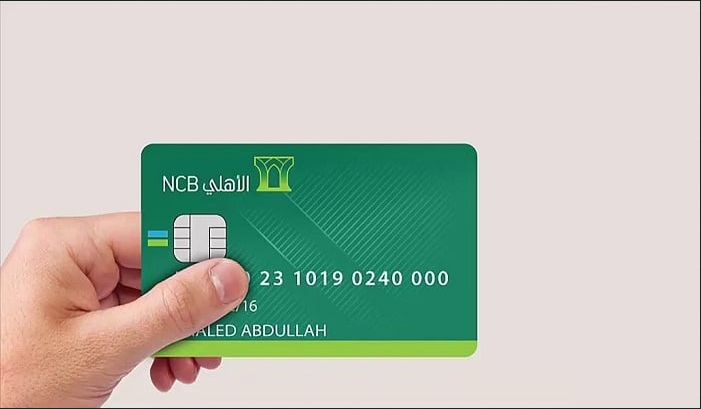
The AlAhli Debit Card is a pivotal financial tool, enabling seamless online transactions. Among the array of options, the AlAhli Debit Card for online purchases stands out as a flexible and reliable choice for individuals seeking banking convenience. In this comprehensive guide, we delve into the process of activating the AlAhli Debit Card for online purchases, outlining its key features, and elucidating its usage parameters.
Activating AlAhli Debit Card via the Mobile App
Activating your AlAhli Debit Card online can be swiftly accomplished by following these steps:
- System Compatibility: Ensure your mobile device’s operating system is Marshmallow 6.0.1 or newer.
- Enable NFC: Activate the Near Field Communication (NFC) feature on your mobile phone.
- Screen Protection: Enable screen protection on your mobile device.
- Download AlAhli Mobile App: Install the AlAhli Mobile App from the respective app store for Android or iOS.
- Personal Information Input: Enter the required personal details.
- Navigate to Accounts: Tap on the “Accounts” tab.
- Select Debit Card: Choose the “AlAhli Debit Card” option.
- Add New Card: Select the desired card and click on the “Add +” icon.
- Activate Card: Press the “New Card – Self Service” button.
- Confirmation: Verify your registered mobile number to receive an activation code via SMS.
- Enter Code: Input the received code in the designated field.
- Confirmation: Tap on the “Confirm” tab.
Activating AlAhli Debit Card After Renewal
To activate a renewed AlAhli Debit Card for online purchases, follow these steps:
- Visit ATM: Head to the nearest AlAhli ATM.
- Select Option: Click on the screen to select the appropriate version.
- Enter Reference Number: Input the reference number.
- Activation Code: Upon submission, you’ll receive an activation code via SMS.
- Code Input: Enter the received activation code.
- PIN Input: Input your card’s PIN.
- Re-enter PIN: Confirm your PIN.
- Confirmation: Press “Confirm”.
Using AlAhli Debit Card for Online Purchases
Once your AlAhli Debit Card is activated, utilize it for online purchases as follows:
- CVV/CVC Verification: Ensure the three-digit CVV/CVC code is available.
- Select Card Type: Choose “AlAhli Debit” when prompted.
- Input Details: Enter the required card details, including card number, cardholder name, expiry date, CVV/CVC, contact information, and billing address.
- Payment Confirmation: Click on the “Pay” button.
- Security Verification: Proceed through the bank’s security verification process.
- SMS Code Input: Input the verification code received via SMS.
- Completion: Upon successful purchase, you’ll receive an SMS detailing the transaction.
Key Features of AlAhli Debit Card
Activating the AlAhli Debit Card for online purchases offers several advantages:
- Ease of Acquisition: Obtain the card effortlessly without any fees.
- Security: Classified among AlAhli’s secure banking options.
- Financial Flexibility: Facilitates seamless fund transfers and bill payments.
- Insurance Benefits: Provides medical insurance coverage in case of accidents.
- Global Acceptance: Usable at various international merchants.
- Daily Transaction Limit Customization: Modify daily transaction limits via online or mobile banking.
AlAhli Debit Card Benefits During Travel
Upon activating the AlAhli Debit Card, unlock additional benefits for travel:
- Global Usability: Utilize the card worldwide.
- Airport Lounge Access: Enjoy complimentary access to international airport lounges.
- Travel Insurance: Obtain medical coverage during travels.
- Concierge Services: Access personalized concierge services.
- Priceless Offers: Gain insights into global cities with MasterCard’s “Priceless” service.
Transaction Limits
The AlAhli Bank has set the following transaction limits for AlAhli Debit Card purchases:
- Daily ATM Withdrawal Limit: SAR 5,000.
- Purchase and Payment Limit at POS Terminals in Saudi Arabia: SAR 200,000.
- Single Purchase Limit: SAR 100.
For the latest updates on AlAhli Bank’s debit card services, refer to their official announcements.
Frequently Asked Questions
Can I use my AlAhli Debit Card for purchases outside Saudi Arabia?
Yes, the AlAhli Debit Card can be utilized for purchases outside the Kingdom of Saudi Arabia.
How can I retrieve the security code from the AlAhli app?
The security code (CVC) consists of the last three digits printed on the signature panel of your credit card, such as Visa or MasterCard.
What are the withdrawal fees for AlAhli Debit Card?
The monthly fee for cash withdrawals from AlAhli Bank’s debit cards is 0.49% of the total card balance.
Can I use the AlAhli Debit Card in Gulf countries?
Yes, you can use the AlAhli Debit Card in Qatar.
