

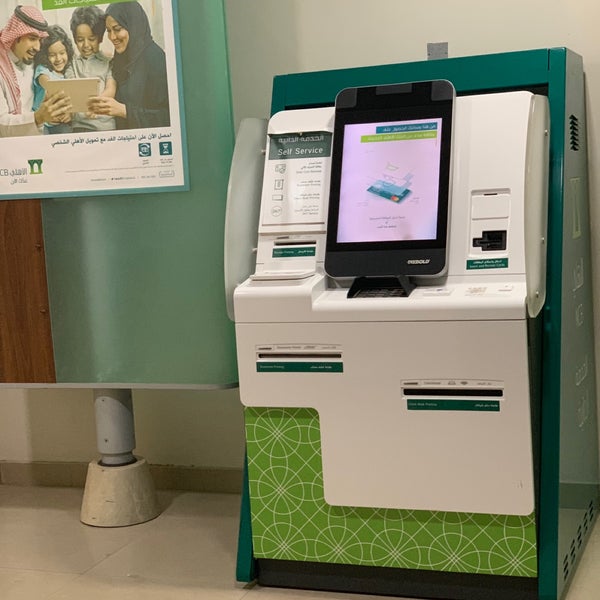
In this comprehensive guide, we will delve into the process of issuing or renewing Mada cards through the convenient self-service kiosks provided by SNB AlAhli. Whether you’re looking to obtain a new Mada debit card or renew an existing one, these kiosks offer a hassle-free solution to fulfill your banking needs.
How to Issue Mada Cards via SNB Kiosks
Obtaining a Mada card through SNB’s self-service kiosks is a straightforward process. Here’s a step-by-step guide:
- Access the Kiosk Interface: Begin by approaching the SNB AlAhli self-service kiosk.
- Select “Through National ID/Iqama”: Touch the screen to initiate the process, then choose the option for issuing a Mada card via National ID or Iqama.
- Provide Identification Information: Enter your ID number along with the activation code sent to your registered mobile number via SMS.
- Account Selection: Choose the desired account number from which the Mada card will be linked, and specify the name to be printed on the card. Once confirmed, proceed to the next step.
- Biometric Confirmation: Confirm your identity using your thumbprint for authentication purposes.
- Set PIN: Enter and confirm a new PIN for your Mada card, ensuring it meets the required security standards.
- Card Collection: Once all necessary steps are completed, collect your newly issued Mada debit card from the kiosk.
Renewing Mada Debit Cards via Self-Service Kiosks
Renewing your existing Mada debit card through SNB’s self-service kiosks is a seamless process. Follow these steps:
- Insert Current Mada Debit Card: Begin by inserting your current Mada debit card into the designated slot on the kiosk.
- Select “Renewal”: From the main menu, choose the option for card renewal to proceed with the process.
- PIN Update: Enter and confirm a new PIN for your renewed Mada card, ensuring it meets the required security criteria.
- Card Collection: Once the renewal process is completed, collect your renewed Mada debit card from the kiosk.
Benefits of SNB AlAhli Kiosks for Mada Card Services
SNB AlAhli’s self-service kiosks offer several benefits for issuing and renewing Mada cards:
- Convenience: Access banking services anytime, anywhere through the user-friendly kiosk interface.
- Efficiency: Save time with streamlined processes for card issuance and renewal.
- Security: Ensure the security of your transactions with biometric authentication and PIN-based verification.
- Accessibility: Catering to a wide range of banking needs, including Mada card services, for enhanced customer convenience.
Conclusion
In conclusion, SNB AlAhli’s self-service kiosks provide a convenient and efficient solution for issuing and renewing Mada cards. Whether you’re obtaining a new debit card or renewing an existing one, these kiosks offer a seamless banking experience. Take advantage of SNB’s innovative technology to manage your banking needs with ease.
