

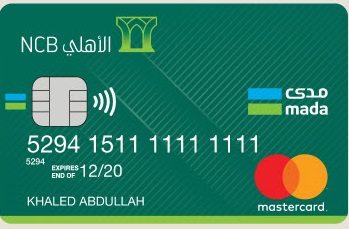
Renewing your visa with the Saudi National Bank (SNB) is a straightforward process that ensures you continue to enjoy the benefits of your card without interruption. As one of the oldest and most trusted banks in the Kingdom of Saudi Arabia, SNB provides its customers with a range of services, including the renewal of their visas. In this comprehensive guide, we will walk you through the steps to renew your SNB visa, as well as provide information on fees and other relevant details.
Steps to Renew Your SNB Visa
Renewing your SNB visa is a simple process that requires just a few careful steps. Follow these instructions to ensure a smooth renewal process:
- Visit an ATM: Begin by locating a Saudi National Bank ATM near you.
- Insert Your Card: Insert your SNB visa card into the designated slot on the ATM.
- Select “Renew Card”: From the dropdown menu, choose the option labeled “Renew Card.”
- Enter Your PIN: Input your card’s PIN number when prompted.
- Confirm: Re-enter your PIN to confirm your selection.
- Submit Request: Once you’ve confirmed, submit your renewal request.
- Follow Additional Instructions: Follow any additional on-screen prompts or instructions as necessary.
Applying for a New SNB Debit Card
If you’re in need of a new or replacement SNB debit card, you can easily apply for one through the bank’s self-service channels. Here’s how:
- Download the Alahli Mobile App: Begin by downloading the SNB Alahli Mobile app from your app store.
- Log In: Log in to the app using your credentials.
- Access Account Settings: Navigate to the account settings section of the app.
- Select “Debit Cards”: Choose the option labeled “Debit Cards” from the menu.
- Choose Your Card Type: Select the type of card you wish to apply for (e.g., debit card).
- Request New Card: Initiate the request for a new card by selecting the appropriate option.
- Confirm Details: Confirm your personal and account details as prompted.
- Submit Request: Once you’ve verified all information, submit your request for a new card.
- Follow Up: Keep an eye on your mobile app for updates on the status of your card request.
Checking Your Visa Expiry Date
It’s important to stay informed about the expiry date of your SNB visa to ensure timely renewal. Here are several methods you can use to check your visa’s expiry date:
- Check the Card: The expiry date is typically printed on the front of your SNB visa card.
- Contact Customer Service: Reach out to SNB’s customer service team for assistance in determining your visa expiry date.
- Visit a Branch: If you prefer in-person assistance, visit your nearest SNB branch and inquire about your visa’s expiry date.
- Use the Alahli Mobile App: Utilize the SNB Alahli Mobile app to check your visa expiry date conveniently from your smartphone.
Fees for Renewing Your SNB Visa
SNB offers hassle-free and affordable renewal services for its customers. Here’s a breakdown of the fees associated with renewing your SNB visa:
Debit Card Renewal Fees:
- No Charge: Issuance and renewal of primary debit cards.
- 30 SAR: Issuance of additional debit cards, replacement of lost or stolen cards, PIN reactivation.
- 25 SAR: International cash withdrawal fee.
AlAhli Membership Card Renewal Fees:
- 100 SAR: Reactivation fee for membership card.
- Free: Issuance of additional cards.
- 75 SAR: Cash withdrawal fee through ATMs or electronic channels.
Prepaid Cards Renewal Fees:
- Free: Issuance of SNB prepaid cards.
- 50 SAR: Replacement fee for lost cards.
Benefits of SNB Visa Cards
SNB visa cards come with a host of benefits designed to enhance your banking experience:
- Global Acceptance: Accepted at over 32 million merchants worldwide.
- Cash Withdrawals: Access cash at ATMs globally.
- Interest-Free Period: Enjoy up to 50 days interest-free on purchases.
- Flexible Repayment Options: Minimum payment starting from 5% of the total amount.
- Travel Insurance: Free travel insurance up to 750,000 SAR against various incidents (trip cancellations, accidents, delays, lost luggage).
- Security Features: Protection against unauthorized transactions with “My Protection” and “My Protection Plus” programs.
- Instant Notifications: Receive instant SMS alerts for any financial transaction.
- Monthly Statements: Access monthly account statements for better financial management.
- Cash Advances: Withdraw up to 30% of your credit limit as cash, either from ATMs or financial institutions.
- Special Offers: Access exclusive discounts and offers.
- Airport Lounge Access: Enjoy complimentary access to select airport lounges.
Frequently Asked Questions
Q: What are the fees for using my SNB debit card outside of Saudi Arabia? A: Transactions made outside of Saudi Arabia incur a conversion fee determined by the international card network, plus a 2.75% service fee.
