

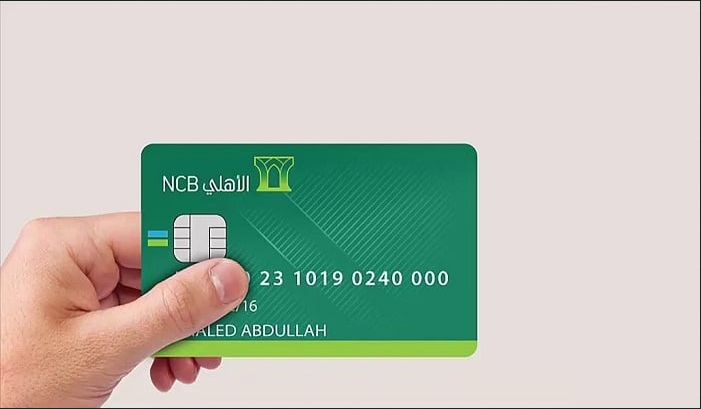
To apply for an AlAhli Mada Card, you must meet certain conditions and follow specific steps outlined by the Saudi National Bank (SNB) to obtain it. Join us as we delve into the details of requesting an AlAhli Mada Card.
Conditions for Obtaining AlAhli Mada Card
To request an AlAhli Mada Card, you must first fulfill the following conditions:
- Have an Account with Saudi National Bank: You need to possess an account with the Saudi National Bank.
- Be 18 Years Old or Above: Applicants must be 18 years of age or older.
- Saudi Citizenship or Residency: You should be a Saudi citizen or a resident in the Kingdom of Saudi Arabia.
- Valid National ID or Residency: Ensure that your national ID or residency documents are valid.
- Provide Accurate Information: Furnish the bank with accurate personal information, including your contact details.
How to Request AlAhli Mada Card
While the Saudi National Bank often automatically provides an AlAhli Mada Card upon opening an account, certain situations may necessitate requesting it directly from the bank. Here are all the ways to request an AlAhli Mada Card along with their steps:
Requesting AlAhli Mada Card from SNB Branches
- Visit the Nearest SNB Branch: Head to the nearest branch of the Saudi National Bank.
- Submit a Signed Application: Provide a signed application to open an account with the bank after meeting the conditions and presenting the required documents.
- Wait for Card Printing: The printing of your card, bearing your name and linked to your new account, may take several minutes, hours, or even days. Once completed, you’ll likely receive a notification on your mobile phone indicating the dispatch of your new SNB AlAhli Mada Card to Aramex with a shipment number.
Issuing AlAhli Mada Card from the App
- Download AlAhli Mobile App: Download the AlAhli Mobile app.
- Log in: Enter your username and password to log in.
- Access Account Management: Navigate to “Account Management.”
- Choose New Mada Card Issuance: Select “Issue a New Mada Card.”
- Select Account and Confirm: Choose the account and confirm the details.
- Receive Confirmation Call: You’ll receive a call from SNB; press 1 to confirm.
- Verify Call: Confirm the call.
- Receive Reference Number: A reference number will be displayed, which you’ll use at the nearest ATM.
Requesting AlAhli Mada Card from ATMs
- Obtain Reference Number: After receiving the reference number from the app, proceed to the nearest SNB ATM.
- Initiate Card Issuance: Click on “Start Here” on the ATM.
- Enter Reference Number: Choose “Issue an ATM Card” using the reference number.
- Verification and Activation: Wait for verification of the number, and a verification code will be sent to your mobile.
- Enter Verification Code: Input the code.
- Choose Card Details: Select the name to be printed on the card.
- Set PIN: Enter and confirm a 4-digit PIN.
- Wait for Card Printing: After a few minutes, the SNB ATM will print your new card.
Requesting AlAhli Mada Card via Phone Banking
To request a new AlAhli Mada Card via phone banking:
- Call SNB Customer Service: Dial 920001000.
- Provide Personal Information: Enter your personal and account details.
- Follow Instructions: Follow the prompts to request a new card.
Renewing AlAhli Mada Card
To renew your AlAhli Mada Card:
- Visit SNB ATM: Go to the nearest SNB ATM.
- Select “Renew Card Using Card”: Choose the “Renew Card Using Card” option.
- Insert Old Card: Insert your old card into the designated slot.
- Enter Username and Password: Input your username and password.
- Select “Renew Card”: Choose the “Renew Card” option.
- Record New PIN: Record your new PIN on the new card.
- Confirm PIN: Re-enter the PIN for confirmation.
- Issue New Card: Select “Issue New SNB ATM Card.”
Benefits of Applying for AlAhli Mada Card
The AlAhli Mada Card offers several advantages that make it highly desirable:
- Ease and Variety of Application Methods: Multiple methods are available for requesting the card.
- User-Friendly Usage: The card is easy to use for various banking transactions, including cash withdrawal, deposits, and remote internal and external transfers.
- SMS Alerts: Receive SMS notifications for your transactions.
- Complimentary Airport Lounge Access: Enjoy free access to numerous airport lounges.
- Medical and Travel Insurance: Benefit from medical and travel insurance coverage.
